Workflow Automation & AI Agents
Reminders, document reading, lead follow-up and scheduled reports that run across your apps on their own.
Explore Workflow AutomationEmail, WhatsApp, Excel, Google Sheets, your accounting software and Power BI, connected by automations and AI agents, so data moves on its own and your team stops re-typing it.
Trusted by businesses across industries and countries




















These are the tasks we automate most often. If one of them eats your team's week, we can usually fix it.
Reminders, document reading, lead follow-up and scheduled reports that run across your apps on their own.
Explore Workflow AutomationDashboards and monthly MIS built from your Excel, ERP and accounting data that refresh themselves.
Explore Power BIMacros, data-entry forms, Power Query and PDF-to-Excel tools that turn repetitive spreadsheet work into one click.
Explore Excel AutomationEvery automation starts with something that happens, does the work in the middle, and ends with a result your team can use.
A supplier invoice arrives by email
Reads the supplier, amounts and line items with AI and checks the totals
A clean row in Excel, ready for your accounts
A new enquiry comes in from your website
Saves it to your lead sheet and drafts a reply from your price list
A WhatsApp reply to the customer in minutes, and your sales team alerted
Every morning at 9:00
Pulls yesterday's sales, collections and dispatches from your files
A one-page summary on the owner's WhatsApp and email within minutes
Professional & financial services
A daily workflow that checks every client's deadlines and sends a personal reminder on the right channel, with no one involved.
Automotive components manufacturing
A five-page Power BI suite that brings sales, production, quality, inventory and manpower for three plants into one report.
Heavy engineering & capital equipment
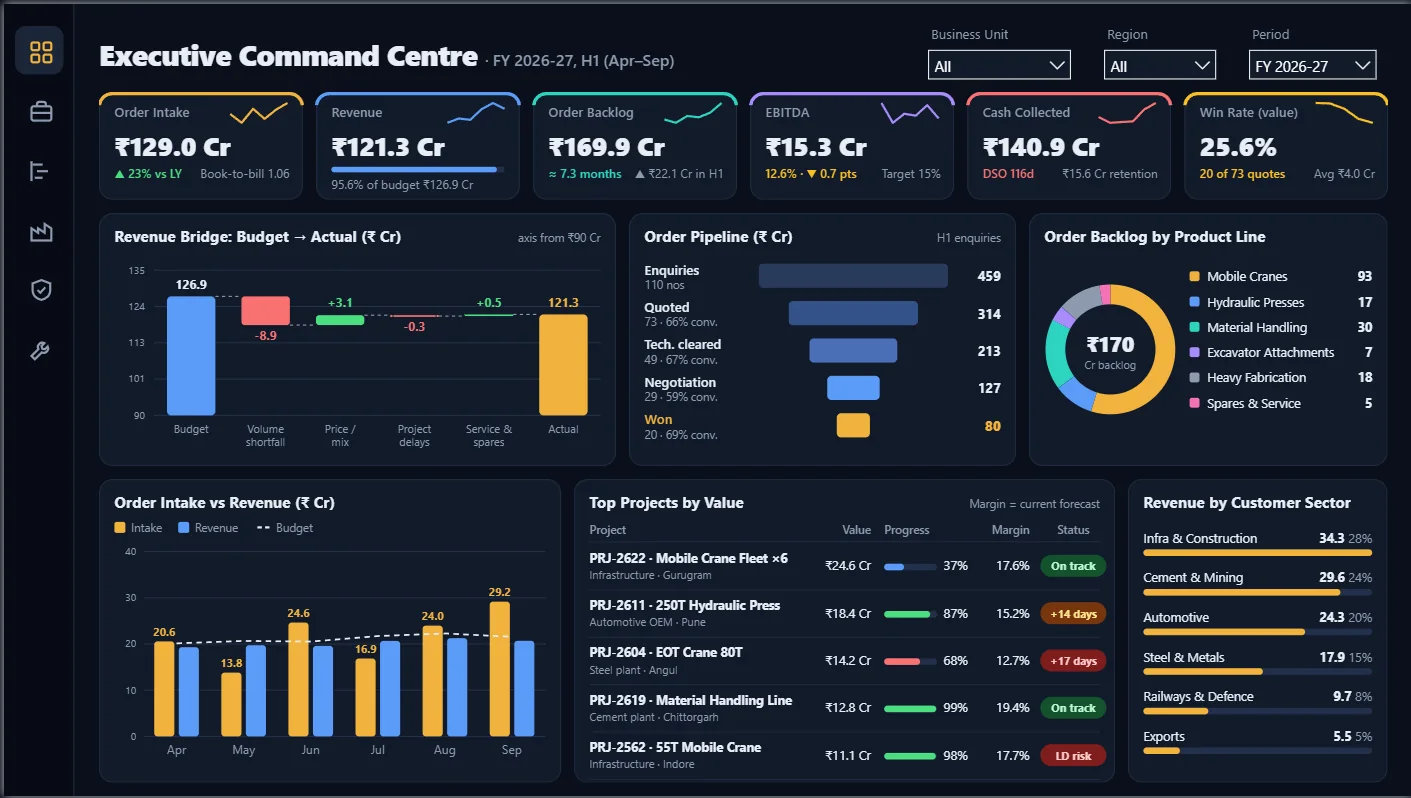
A five-page Power BI suite giving leadership one live view of orders, projects, the shop floor, quality and after-sales service.
Education
A two-tab data-entry form that lets college staff register students, record every instalment and see the balance due instantly.
A 30-minute call to find the tasks worth automating first.
A written scope and timeline before any work begins.
You see it working on your own data as we build.
Training for your team, every file handed over, and three months of free support.

“Kumar did an amazing job, despite some of the missing information and gaps on our end. He was incredibly patient and supportive throughout the process, and thanks to his attention to detail, we were able to identify mistakes that we might otherwise have overlooked. He was always available, demonstrated a strong understanding of his work, and clearly showed a high level of expertise and professionalism. We would definitely work with him again.”

“Outstanding experience working with Pradeep! He exceeded my expectations in every aspect of the project. His technical expertise, professionalism, and attention to detail were exceptional. He was proactive, communicated clearly throughout the process, and consistently delivered high-quality work on time. He also went above and beyond by suggesting improvements that made the final product even better.”

“I've been working with Pradeep for some time with my business. He's like an extension of my team - I think of him as part of my IT group. He's a perfect gentleman, extremely professional, and very adept at solving complex business challenges. This the guy you want working with you to solve MS Excel and VBA automation opportunities with ease. Great guy!”

“Pradeep was absolutely exceptional to work with. He went way above and beyond for my complex project. … He went to the extreme to ensure I was provided a product that truly would be useful. I am grateful!”
Anything your team repeats on a schedule or every time something arrives: data entry from PDFs and emails, reminders, follow-ups, reports, reconciliations and file preparation.
No. We connect the tools you already have: email, WhatsApp, Excel, Google Sheets, your accounting software, CRM or ERP.
Automations run on your own accounts. We use only the access each step needs, and hand over every file and login at the end.
You get an alert as soon as a step fails. Fixes are free for three months after handover, and ongoing support is available after that.
Very likely. We work with businesses around the world over video calls, and schedule around your time zone.
Tell us which task your team repeats every week. We reply within one working day with next steps and a time for a 30-minute call.